Spidy. - App and Chrome Extension
Turning unused Internet into unexpected Income
Category
VD, UI
Duration
4 weeks
Year
2019
Spidy. - App and Chrome Extension
Turning unused Internet into unexpected Income
Category
VD, UI
Duration
4 weeks
Year
2019
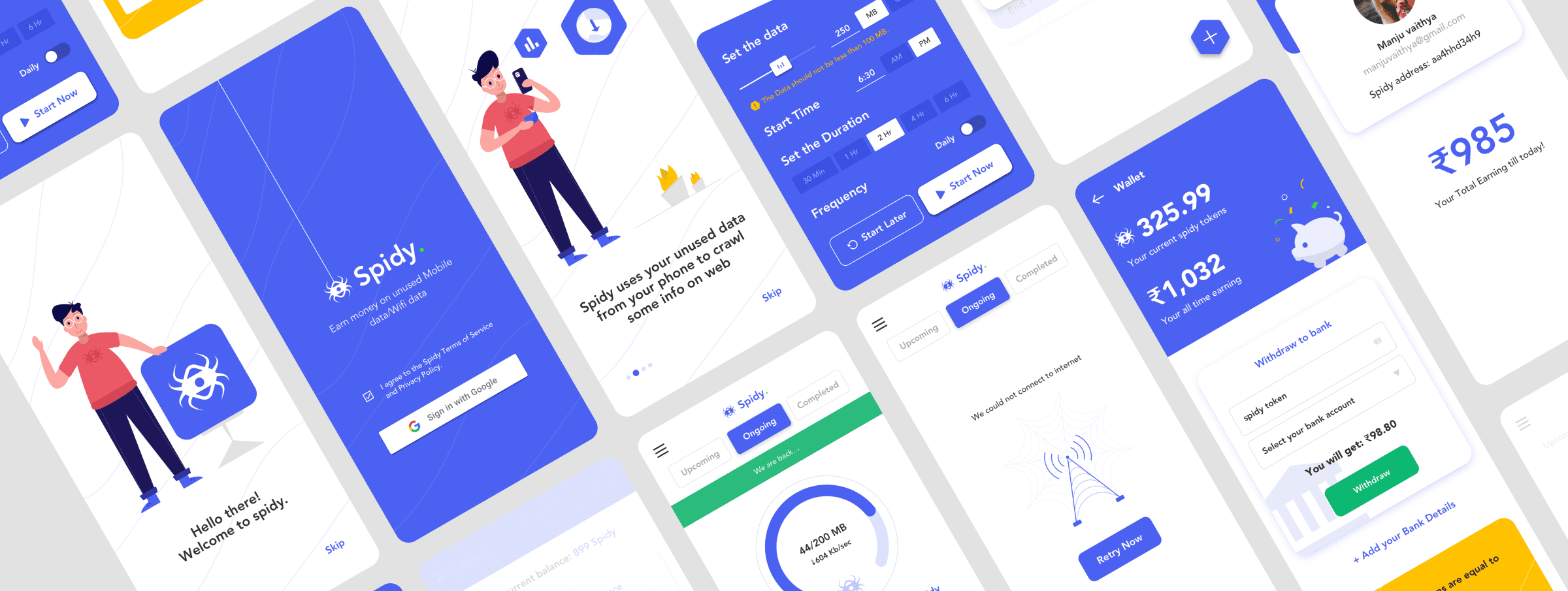
Project Background
What if your unused mobile or Wi-Fi data could make you money instead of just sitting there, doing nothing? That’s the idea behind Spidy — an app that pays users for sharing their excess data. The system uses that data to crawl the web and, in return, rewards users with Spidy tokens that can be converted to real currency. Basically, Spidy helps you earn from what you already own — and does it without turning you into a tech wizard.
My Role
I was the UX Designer, responsible for crafting a smooth, friendly experience for both the Android mobile app and the Chrome extension.
Project duration
Oct 2019 – Feb 2020 (5 months of caffeine, critiques, and countless artboards).
The Spidy offering
Our mission was to make something simple, smart, and surprisingly delightful. We knew that if users were going to share their internet, they needed to trust and understand the product — no technical jargon, no confusing settings.
So, we focused on clear communication, rewarding interactions, and a pinch of character (literally).
Spidy was designed to:
Help users earn from unused internet
Feel approachable, not intimidating
Use a friendly mascot to explain how things work — because let’s be honest, a spider explaining the web just made sense.
Process
Like every good design story, it started with a whiteboard full of chaos and a brainstorming session full of “what ifs.”
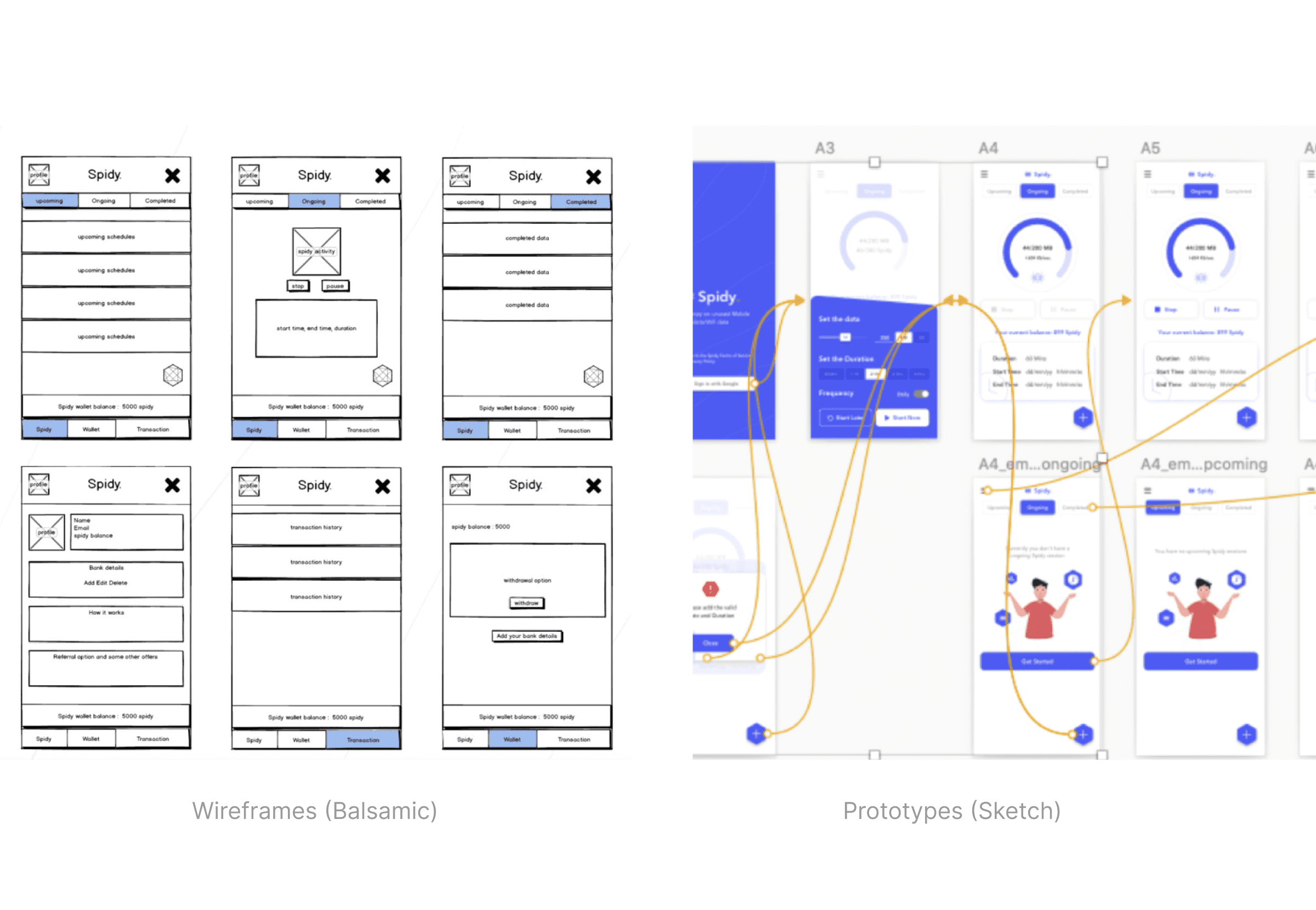
From there, we filtered ideas, mapped user journeys, and moved on to wireframes and prototypes.
Wireframes: Done in Balsamiq — because who doesn’t love those friendly comic-style boxes?
Prototype: Brought to life in Sketch (Figma was just launched and getting that buzz around the industries).
Design System & Branding
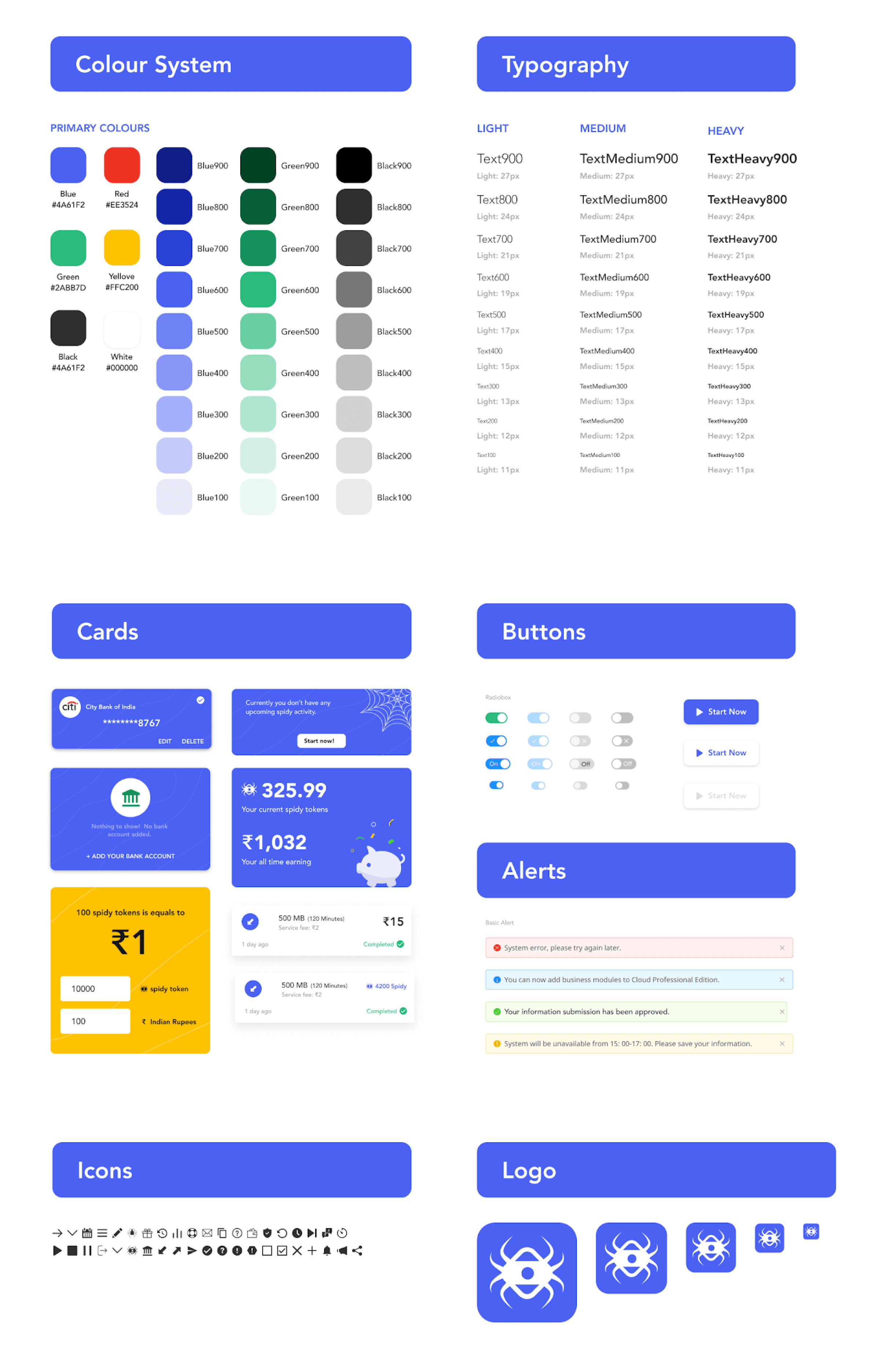
I built the Spidy Design System from scratch — keeping everything tidy, scalable, and easy to maintain. Design systems are like doing the dishes — nobody loves it while doing it, but everyone’s grateful later.
I also designed the logo, keeping it minimal yet memorable — something that reflected agility and the idea of "web + connection." I've created a small animation in after effects for loading screens, used as a lottie.
Character & Illustration
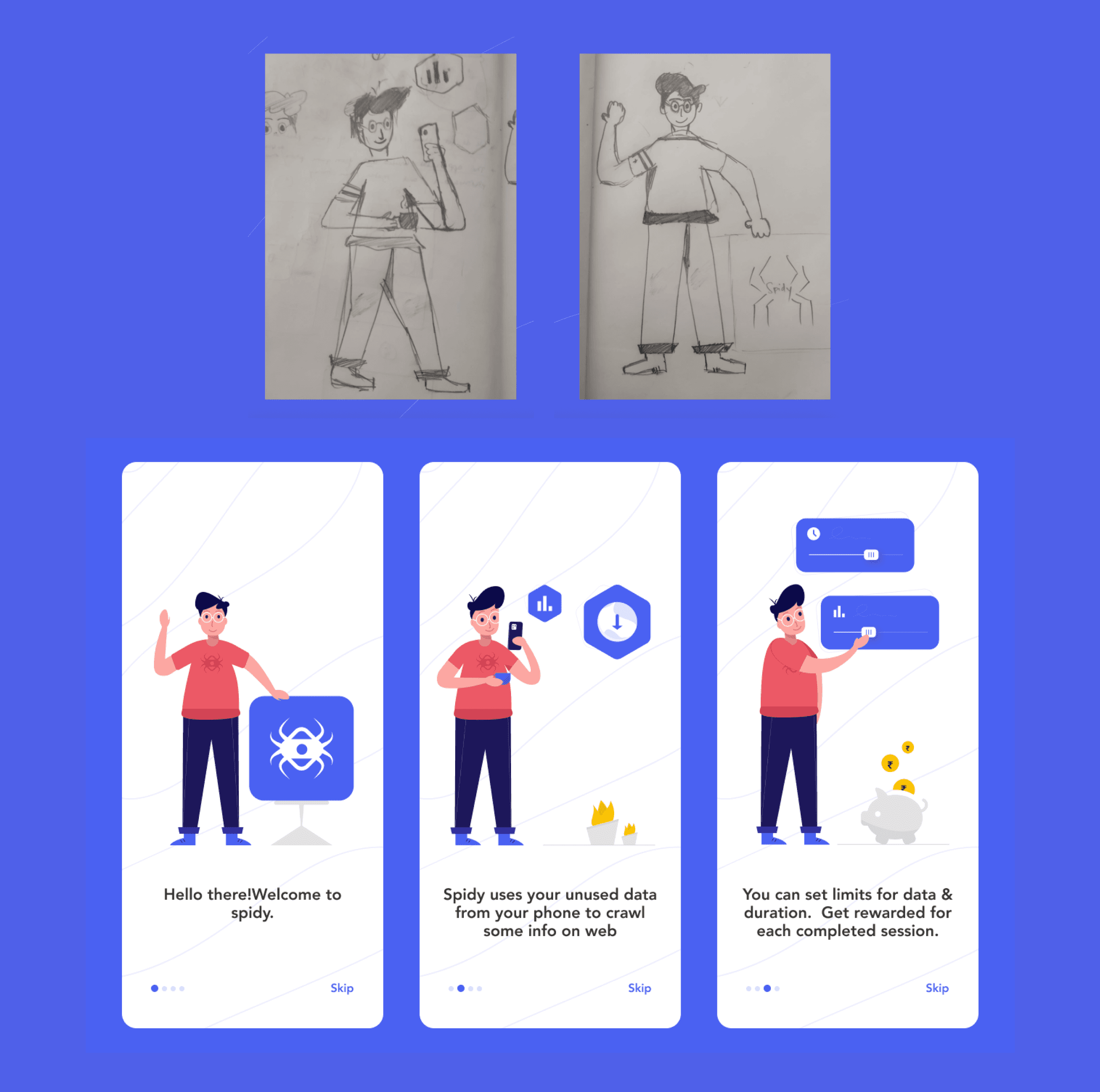
I wanted the mascot to guide users through the app — from onboarding to FAQs — explaining how the app works in a fun, approachable way. It helped turn a technical concept into something anyone could understand (and maybe even smile at).
Loading animation
One of my early After Effects explorations, transforming the Spidy hexagon into a playful, looping loader animation.

Final Designs
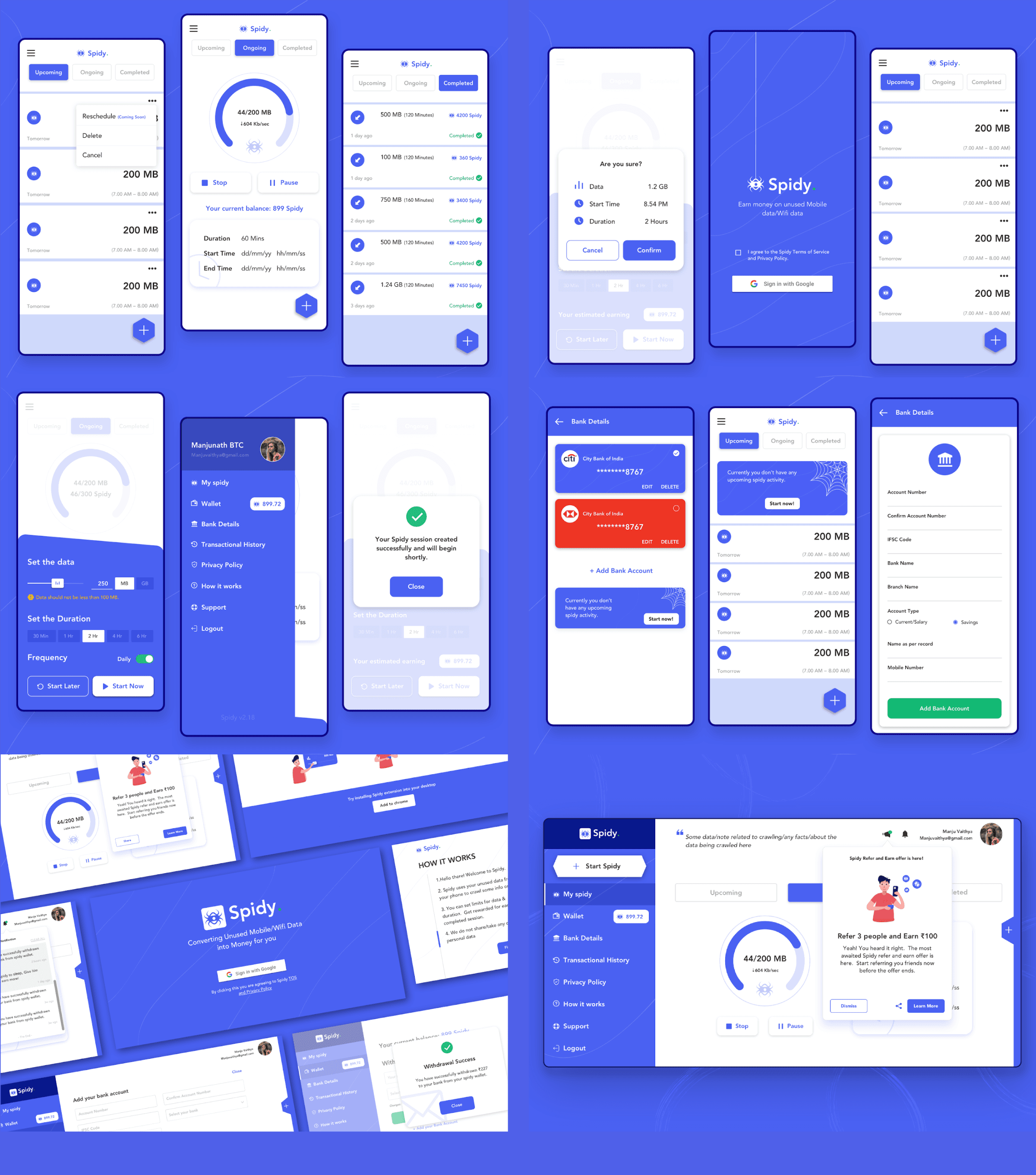
I designed complete interfaces for both the Android app and the Chrome extension. Whether you were a mobile user or a browser addict, Spidy had you covered.
Outcomes
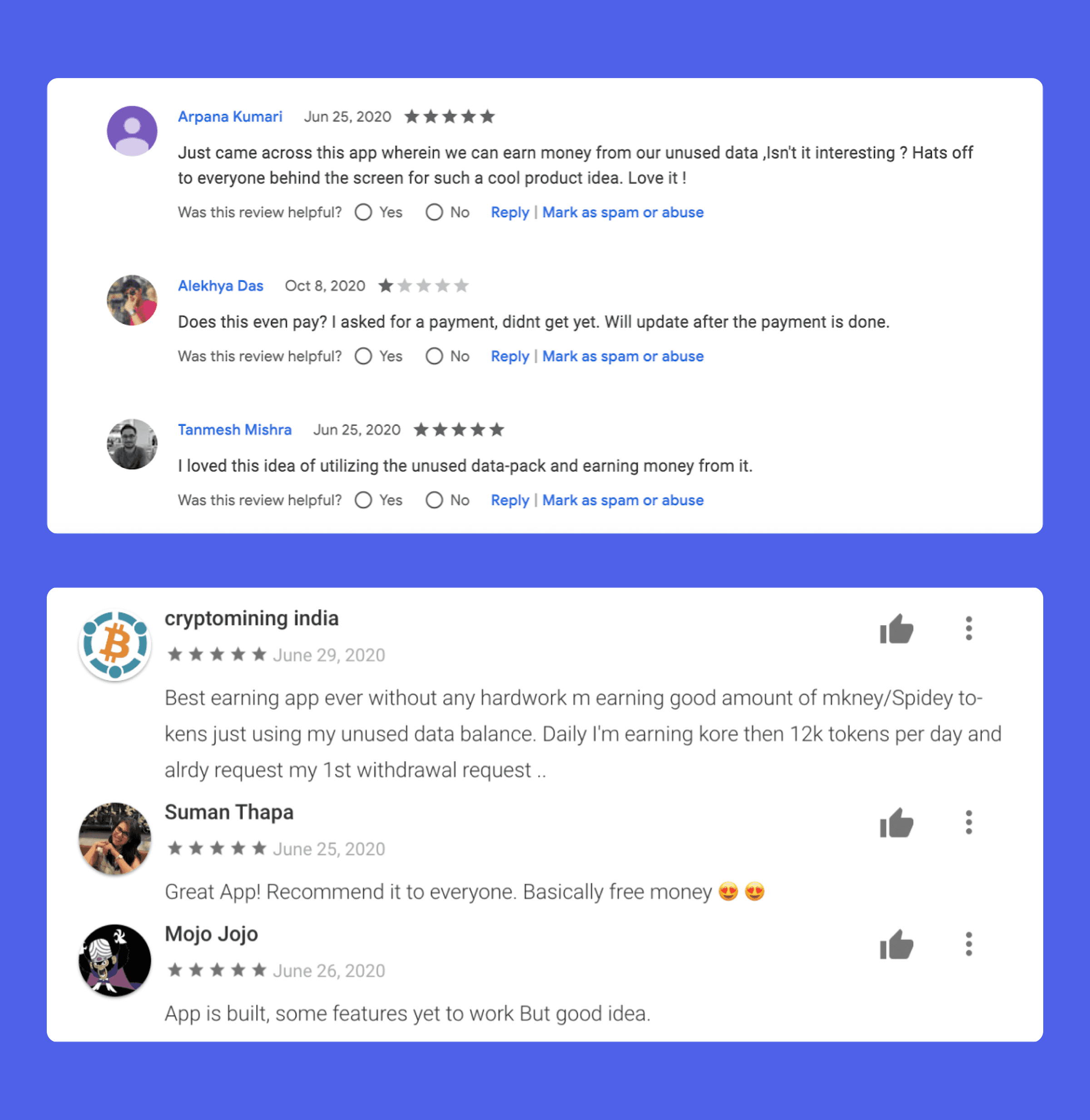
The first version received great feedback — users loved the idea and the simplicity of the experience. The product opened up opportunities for feature improvements and new goals, and let’s just say our roadmap got a little longer (and more exciting).
Closing Thoughts
As the product designer, I handled everything from the first sketch to the final pixel, collaborating with an amazing team of:
Frontend & Android Developers
UX Writer
Marketing Team
And a project manager who helped keep all our design dreams (mostly) realistic
Spidy was a passion project that turned out exactly as we hoped — a meaningful product with a fun twist. It taught me that even complex, technical ideas can feel human — as long as you design with empathy, humor, and a clear mind (or a strong coffee).
Enter Password
Hint: Coutdown begins